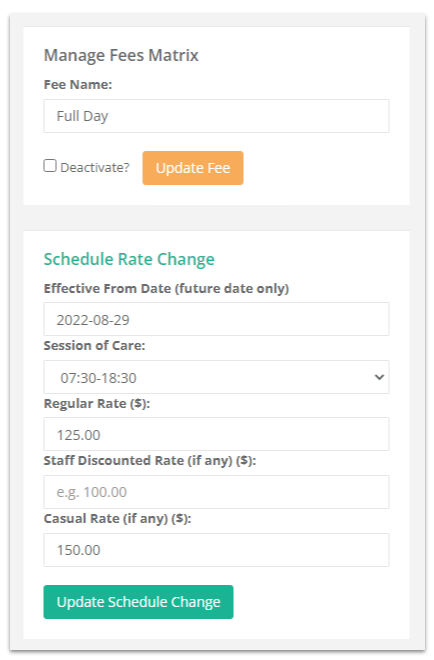
Schedule Rate Change
Overview
💡The date of the change will be displayed in the Schedule Change column, you can click this to edit the up until the date!
Once a fee has been added to the matrix, the only way to update the session of care and any of the rates is to schedule a change in the future. This will also go through and update all child bookings and attendances that occur on or after the effective date.
💻 Configure > Rooms > Room Fees Matrix (quick link)
- Click the Edit button
- Select an Effective From Date (future date only)
- Choose the Session of Care
- Enter the new Regular Rate / Staff Discount* / Casual Rate*
- Click Update Schedule Change
- New Children - The day before the scheduled change is to take effect, we recommend you Edit and Update the scheduled change to apply it to any new children added since the original change was entered!
*if applicable